JetBrains IDEs
Privatemode works with AI coding plugins in JetBrains IDEs (IntelliJ IDEA, PyCharm, CLion, etc.). The officially supported plugin is the JetBrains AI Assistant.
Setting up the Privatemode proxy
Follow the proxy and API quickstart to run the Privatemode proxy. Usually, it's advisable to enable prompt caching via --sharedPromptCache.
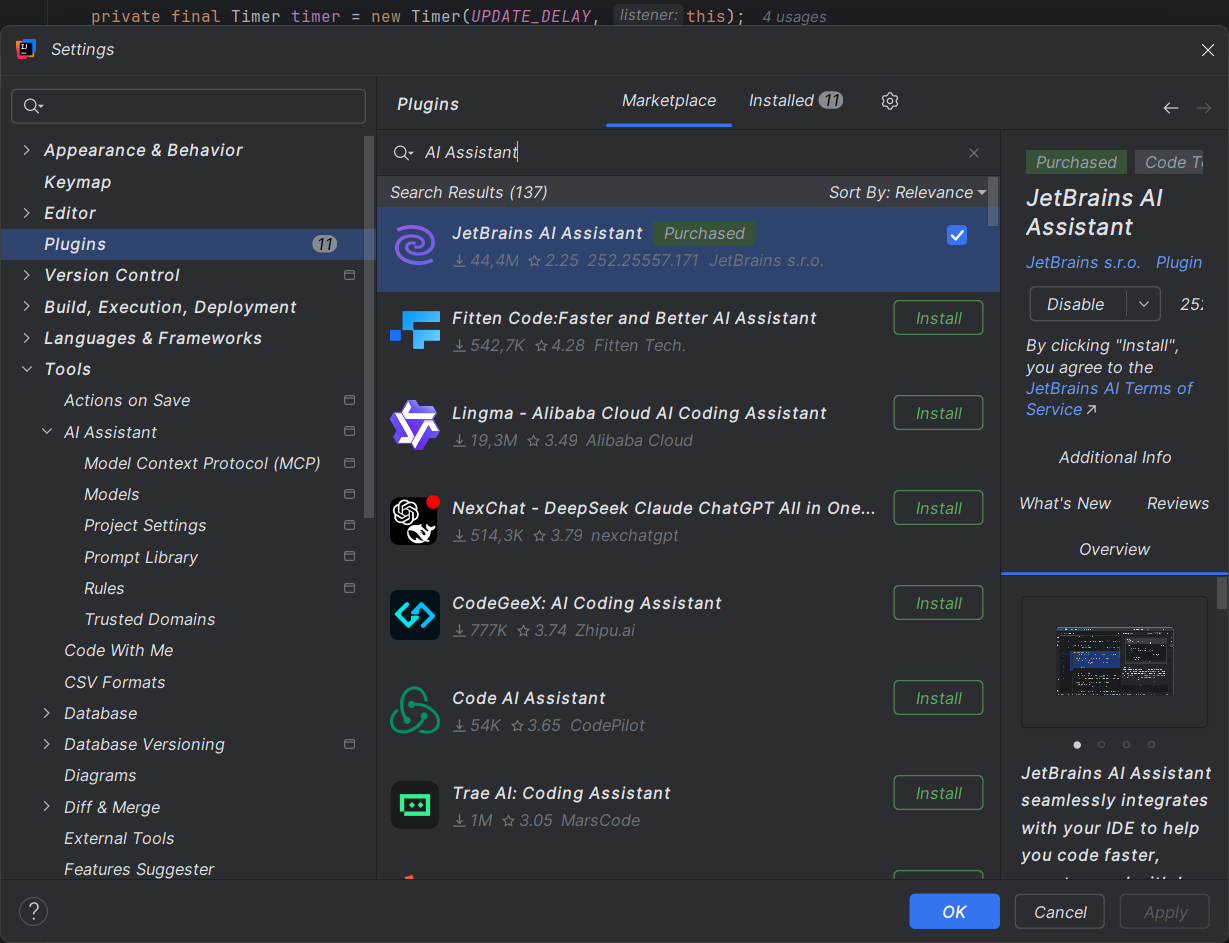
Installing the AI assistant plugin
- Open Settings → Plugins → Marketplace.
- Search for AI Assistant and select Install.
Configuring the AI assistant plugin
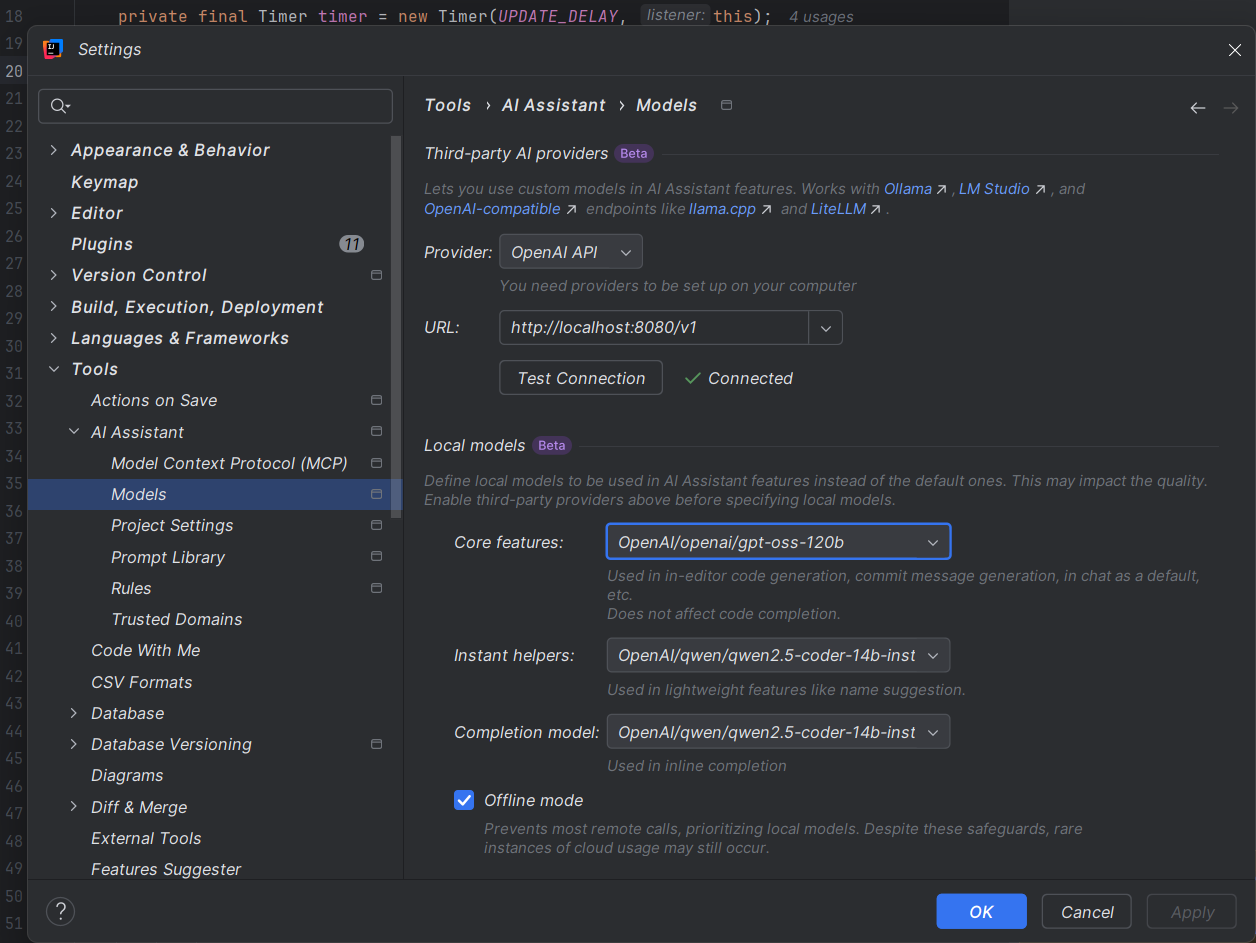
- Open Settings → Tools → AI Assistant → Models.
- Under Provider, select OpenAI API.
- Set URL to your Privatemode proxy, e.g.,
http://localhost:8080/v1. - Click Test Connection. This will fetch the available models from Privatemode.
Model selection
- Kimi K2.5 is the recommended default for JetBrains AI Assistant.
- If you want a lower-latency option, use gpt-oss-120b.
Optional: Offline mode
Enable Offline mode to prevent data from being sent to external services other than Privatemode.