Desktop app
The Privatemode desktop app is deprecated and replaced by the web app. Use chat.privatemode.ai for new deployments and day-to-day usage.
This page is kept for existing desktop app users who need legacy reference information. New users should use the quickstart and the web app guide.
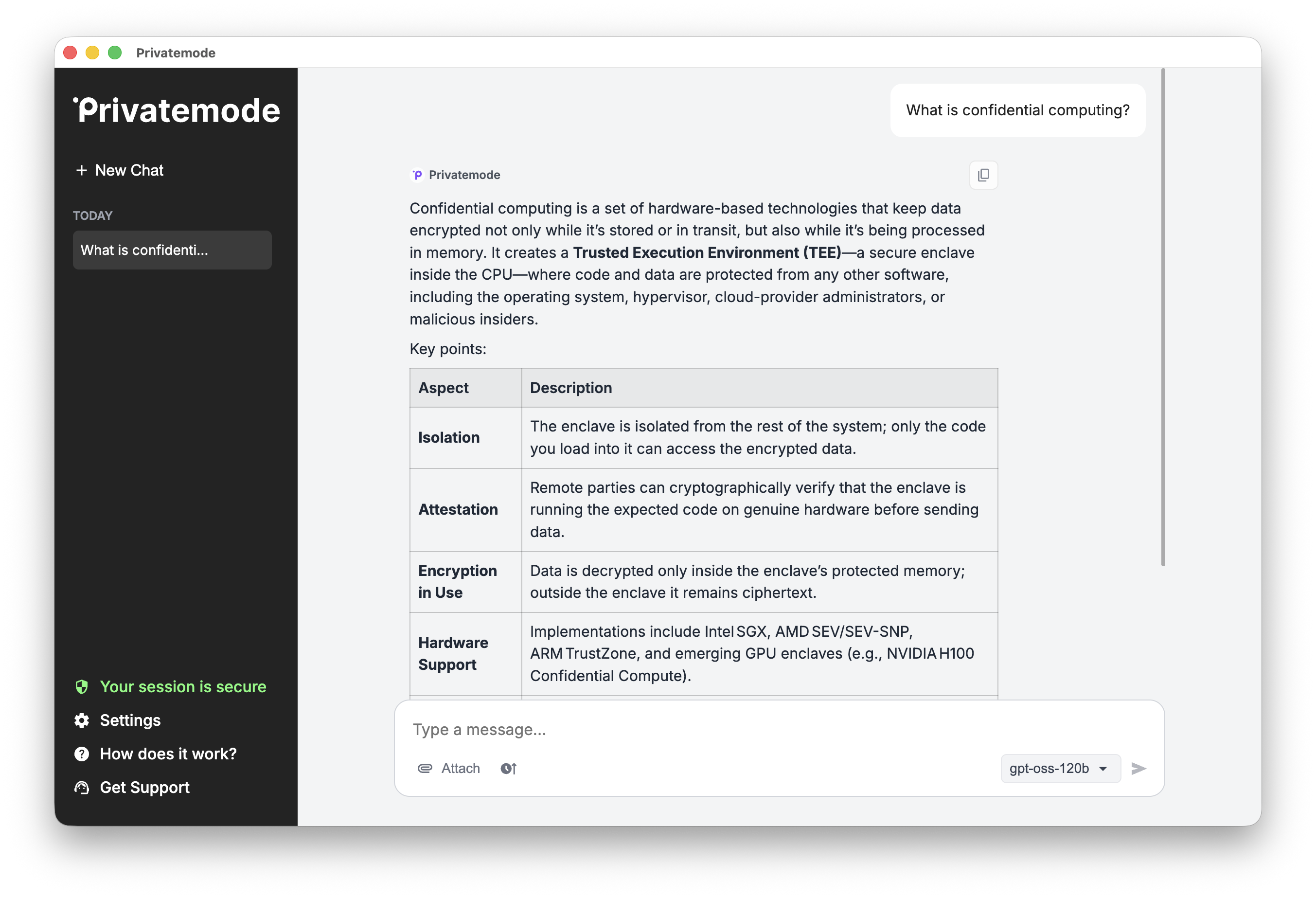
The app prioritizes your privacy and data security:
- Uses only the official Privatemode API for all AI interactions
- Stores chat history and API key locally on your device
- Sends no data to third-party services
Migrate to the web app
The web app is the recommended replacement for the desktop app.
- Open chat.privatemode.ai in your browser.
- Sign in with your Privatemode account.
- Select your organization.
- Start chatting.
The web app also supports file uploads for supported models. For details, see the web app guide.
Legacy desktop app information
The following information applies only if you still operate an existing desktop app installation.
Existing installations
If you still run the desktop app:
- Keep using your existing installation only as a temporary bridge while you migrate to the web app.
- Contact support@privatemode.ai if you need help with a migration issue.
File upload
Depending on the selected model, the app allows you to upload files and refer to it in your prompts. You can attach files using the "Attach" button, or by drag-and-dropping the files into the chat input.
Common file types are supported:
- Microsoft Office document types such as PowerPoint presentations or Excel sheets
- Many more
Logging
The app stores logs in the user configuration directory:
- on Windows:
%AppData%/EdgelessSystems/privatemode - on Mac:
$HOME/Library/Application Support/EdgelessSystems/privatemode
When sending a support ticket to support@privatemode.ai, you may attach
the log.txt file to help understand the issue.
Transparency log
Like the Privatemode proxy, the desktop app maintains a manifest log for transparency and auditability. Your system's default user configuration directory contains this log file:
- on Windows:
%AppData%/EdgelessSystems/privatemode - on Mac:
$HOME/Library/Application Support/EdgelessSystems/privatemode
Limitations
- No support for images. Only text undergoes processing. This means photos of text pages in a PDF aren't supported.
- The maximum file size for uploaded documents is 25 MB.
- A chat may not exceed 70,000 words. This includes uploaded files, where it corresponds to about 120 A4 pages with single-spaced text and 12pt font size.