
Cookbook / Coding assistants
Claude Code
Privatemode can be used as a model provider in Anthropic's Claude Code. This document explains how to set up Claude Code to use Privatemode.
Info
Make sure that you have at least v2.1.242 of Claude Code installed.
Setting up the Privatemode proxy
Follow the API quickstart and choose Other languages to run the Privatemode proxy. Usually, it's advisable to enable prompt caching via --disable-prompt-cache=false. Check that the proxy is up with curl http://localhost:8080/v1/models.
Configuring Claude Code
Add the following configuration to your ~/.claude/settings.json to use Privatemode in every project. To try it in a single project first, put it into .claude/settings.local.json in that project instead.
{
  "env": {
    "ANTHROPIC_BASE_URL": "http://localhost:8080",
    "ANTHROPIC_AUTH_TOKEN": "sk-privatemode",
    "ANTHROPIC_DEFAULT_MODEL": "glm-latest",
    "CLAUDE_CODE_MAX_CONTEXT_TOKENS": "1048576",
    "CLAUDE_CODE_ATTRIBUTION_HEADER": "0",
    "CLAUDE_CODE_DISABLE_NONESSENTIAL_TRAFFIC": "1"
  },
  "availableModels": [
    "glm-latest",
    "glm-flash-latest"
  ],
  "modelPicker": {
    "options": [
      {
        "model": "glm-latest",
        "label": "GLM"
      },
      {
        "model": "glm-flash-latest",
        "label": "GLM Flash"
      }
    ],
    "replaceBuiltInOptions": true
  }
}
The settings do the following:
ANTHROPIC_BASE_URLandANTHROPIC_AUTH_TOKENpoint Claude Code at the proxy. The token is a placeholder, because the proxy holds your API key.ANTHROPIC_DEFAULT_MODELsets the default model.availableModelsrestricts Claude Code to the models Privatemode serves: it uses Anthropic models for sub-agents by default, and with this list in place, sub-agents fall back to the session's active model instead.modelPickerreplaces the built-in/modeloptions with the Privatemode models.CLAUDE_CODE_MAX_CONTEXT_TOKENSsets the model's maximum context length of 1M tokens. Claude Code doesn't recognize the model and would otherwise assume a 200k context window.CLAUDE_CODE_DISABLE_NONESSENTIAL_TRAFFICdisables optional telemetry and error reporting, andCLAUDE_CODE_ATTRIBUTION_HEADERomits Claude Code's attribution from the system prompt, which improves prompt-cache reuse.
Providing an API key per user
To use a separate API key per user, set ANTHROPIC_AUTH_TOKEN in ~/.claude/settings.json to your own key:
"ANTHROPIC_AUTH_TOKEN": "<your-api-key>"The proxy must be started with --api-key-fallback=never, otherwise it uses the configured key instead.
Starting Claude Code with Privatemode
Claude Code reads its environment at startup, so open a new session after changing the settings:
claudeTo use a different model for a single session, pass the --model flag, e.g.:
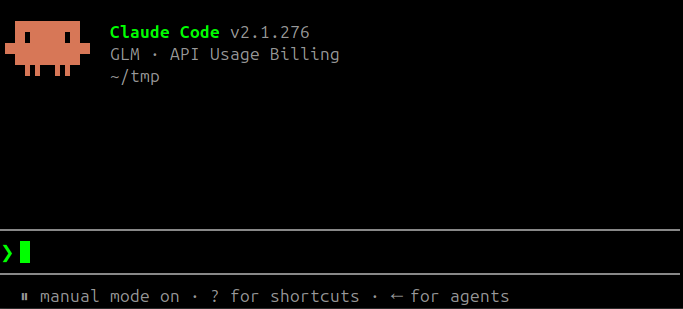
claude --model glm-flash-latestYou will be greeted with a screen like the following. You are now ready to "vibe code" confidentially 🥳
Reverting the setup
Remove the entries above from your settings file and stop the proxy. Claude Code then uses its default provider again.